
XQuotes $25 No Deposit Bonus for 2027 Eligibility, Rules and Risks
16 November 2026




The XTrade $25 Phone Verification No Deposit Bonus is a promotional cash credit that XTrade offers to customers who complete phone verification on their account. The offer is also described as the XTrade No Deposit Bonus. Its terms, however, go beyond the verification step. The bonus applies only after your first deposit, and you must earn 300 XPoints before any redemption. This guide explains how the offer works, how to claim it, and what to check before you take part.
The promotion grants a $25 cash bonus to eligible customers. Once credited, the bonus is added to your account equity and can be used for trading. It is not something you can simply withdraw. To redeem it, you must accumulate 300 XPoints. This is the central point to understand before you claim: the bonus is a trading credit with redemption conditions, not free money that can be cashed out immediately.
The offer is limited to one claim per account. XTrade may decline registrations at its discretion or where regulatory rules apply, so eligibility is not guaranteed for every applicant. Treat the bonus as a possible benefit that depends on your account status, not as a certainty.
The offer is called a "no deposit" bonus, yet the terms state that it applies only after your first deposit. This is a significant difference. A reader who expects to receive $25 without funding an account will be surprised. Before you start the claim process, confirm on the broker's website whether a deposit is required in your case and what it must be.
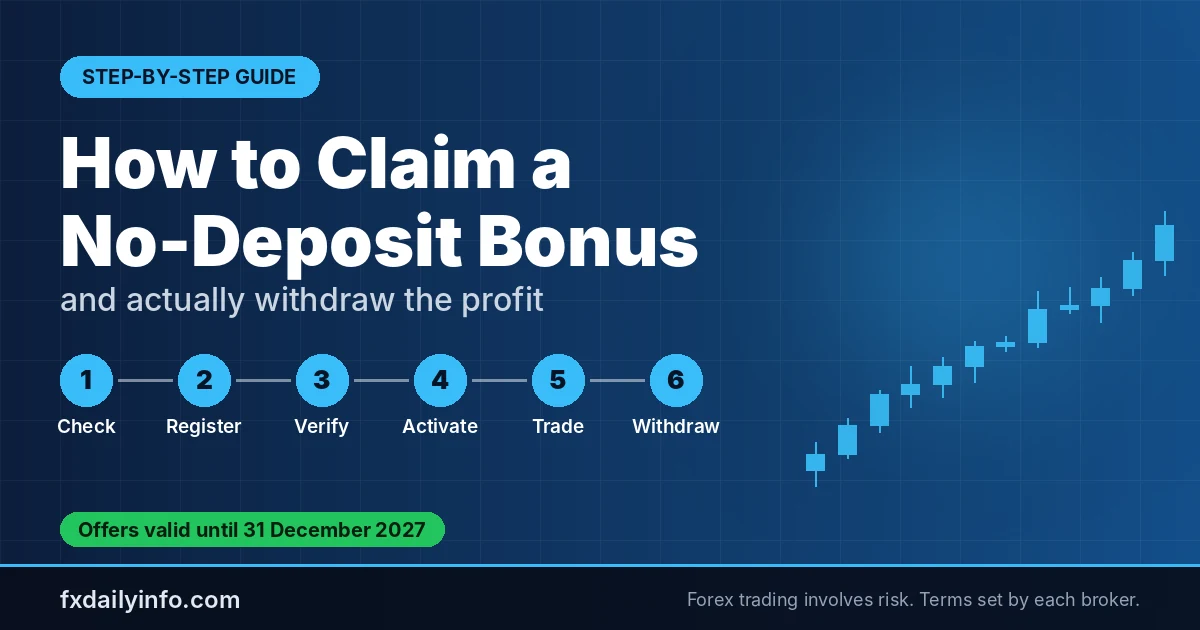
The offer material describes the phone verification route as follows:
Make sure the number you enter is one you can receive texts on, because the SMS code is required to complete the step. If the code does not arrive, check that the number was entered correctly before requesting another attempt. Keep your phone nearby during the process so you can enter the code quickly, as codes may expire.
The bonus terms also describe a separate route based on uploading account verification documents. According to the terms, the $25 cash bonus is available to eligible customers who submit the required documents. On the web trading platform, the upload link sits under Account Options, then Funds Management, then Verify Account - $25 No Deposit Bonus. In the mobile app, the path is Main Menu, then Phone Verification Bonus.
After XTrade approves your documents, it states that it will credit the bonus within two business days. Because the offer name refers to phone verification while the terms refer to document submission, read the current terms on the broker's website before acting, and confirm which steps apply to your account. If the two routes seem to conflict, contact support in writing and keep a copy of their reply.
The table below summarises the two routes based only on the information provided in the offer material.
| Item | Phone verification | Document upload |
|---|---|---|
| Main action | Enter phone number and submit SMS code | Submit required account verification documents |
| Where to start | Account Options, then Phone Verification | Web: Account Options, then Funds Management, then Verify Account. Mobile: Main Menu, then Phone Verification Bonus |
| Stated credit timing | Not stated in the offer material | Within two business days after approval |
| Limit | One claim per account | One claim per account |
Bonus offers are only as useful as their terms. Before claiming the XTrade $25 Phone Verification No Deposit Bonus, review the following points on the broker's site:
Bonuses like this typically come with trading volume and withdrawal rules. Always read the full terms and conditions on XTrade's website before you deposit, trade or request a withdrawal. If a term is unclear, ask the broker's support team to explain it in writing. A written answer gives you a reference if the situation changes later.
The offer material does not explain in detail how XPoints are earned, so do not assume how quickly you will reach the threshold. Check how the points are calculated, whether they depend on trading activity, and whether any activity counts or is excluded. Until you understand the mechanics, avoid planning around the $25 as if it were available cash.
The XTrade $25 Phone Verification No Deposit Bonus may suit traders who are already planning to open an account and want to try the platform with a small trading credit. It is less suitable for anyone expecting to withdraw the $25 quickly, since the 300 XPoints requirement and the first-deposit condition shape how the credit can be used.
It may also be a poor fit if you are not comfortable meeting the deposit condition, or if you do not want to commit to the verification steps. In those cases, compare other options before you register.
If you are comparing options, the forex no deposit bonus category lists other offers, and the best no deposit bonus page gives a broader view of what to look for. For a general check on broker quality, see our forex brokers review before committing funds.
Trading forex and leveraged products involves a significant risk of loss. A bonus credit can be lost along with your own funds if trades move against you, so never trade with money you cannot afford to lose.
The offer is described as a $25 bonus, but the terms say it applies only after your first deposit and must be used through trading. You need to accumulate 300 XPoints before it can be redeemed, so it is not free cash.
No. According to the terms, you must accumulate 300 XPoints before you can withdraw or otherwise redeem the bonus. Until then, it is added to your equity for trading.
The offer is available once per account, so a second claim on the same account is not permitted under the stated terms.
XTrade states that it will credit the bonus within two business days after it approves your documents.
XTrade may decline registrations at its discretion or where regulatory rules apply. Check the full terms and conditions before you apply.
16 November 2026

14 November 2026

10 November 2026

08 November 2026
04 November 2026

03 November 2026

30 October 2026

27 October 2026

25 October 2026

24 October 2026

22 October 2026

21 October 2026

21 October 2026
Comments (0)